Table of Contents
ToggleYour Xbox 360 gamertag is your digital identity, but the profile picture that represents it? That’s the first impression every player gets. Whether you’re logging into an old account for nostalgia, maintaining a legacy profile, or diving back into the Xbox ecosystem, your profile picture sets the tone for how others perceive your gaming presence. An Xbox 360 profile picture (PFP) has evolved from a simple avatar to a statement about your gaming identity, your favorite franchises, or even your skill level in certain communities. In 2026, even though the hardware’s age, collectors, nostalgic gamers, and retro enthusiasts still care deeply about their Xbox 360 presence. This guide walks you through everything you need to know about finding, creating, and optimizing your Xbox 360 profile picture to stand out in the gaming community.
Key Takeaways
- Your Xbox 360 PFP is your digital identity and first impression in gaming communities, representing your gaming personality, favorite franchises, and skill level across consoles and multiplayer lobbies.
- Xbox 360 profile pictures work best at 256×256 pixels with PNG format at 24-bit color depth, using bold, centered designs with high contrast for visibility at small thumbnail sizes.
- Find official and fan-created Xbox 360 profile pictures through Reddit gaming communities, DeviantArt, Archive.org’s Wayback Machine, and retro gaming forums that preserve classic avatar aesthetics.
- Create custom Xbox 360 profile pictures using tools like Canva, Photopea, Aseprite for pixel art, or AI generators, ensuring designs balance current trends with timeless gaming elements that reflect your authentic identity.
- Choose a profile picture that aligns with your actual gaming personality and gaming preferences, whether competitive, casual, or collector-focused, and maintain consistency across platforms to build brand recognition.
- Update your Xbox 360 PFP seasonally or after major gaming achievements while avoiding overly trendy designs, and remember that authenticity and creativity stand out against generic designs in the gaming community.
What Are Xbox 360 Profile Pictures?
An Xbox 360 profile picture is the visual representation that appears next to your gamertag across the console, on Xbox Live, and in multiplayer lobbies. It’s your avatar’s face to the world, the 32×32 or 64×64 pixel image that identifies you in a crowded server or friend list.
In the early Xbox 360 era, these were limited to pre-made avatars created by Microsoft. You’d select a generic character model, customize basic features like hair color, clothing, and accessories, and that became your PFP. But as gaming culture evolved, so did the demand for more creative, personalized options. Today’s Xbox 360 profile pictures can be official artwork, fan creations, anime characters, memes, or custom-designed images that reflect your gaming personality.
The technical specifications matter here: Xbox 360 PFPs work best at square resolutions and maintain clarity in both large and small displays. Most commonly, they’re 256×256 pixels, though compatibility can vary depending on whether you’re uploading to the legacy system or accessing your profile through modern Xbox services.
What makes an Xbox 360 PFP different from modern Xbox profiles is the nostalgia factor and the community context. This is a legacy system that built an entire generation of gamer identities. Your PFP on Xbox 360 carries historical weight, it’s a digital time capsule of where gaming came from, and that’s why so many players still invest time into getting it just right.
The History and Evolution of Xbox 360 Gamertags and Avatars
The Xbox 360 launched in 2005, and with it came Xbox Live, a revolutionary online service that changed how console gamers connected. Early gamertags were text-based identities, plain and simple. You had a username, a level, and that was your entire profile.
But avatars arrived in 2008 with a game-changing update. Suddenly, you could create a custom character that represented you visually. This wasn’t just cosmetic: it fundamentally changed how players perceived themselves in the online space. You weren’t just “xXProKillerXx” anymore, you were a skateboarding alien with a mohawk, or a medieval knight, or whatever you’d spent an hour designing.
The avatar system was revolutionary for its time. Players could customize everything: body type, facial features, clothing, accessories, and pose. These became your profile pictures, the thumbnail that appeared wherever your name showed up. Suddenly, gaming communities had visual identities beyond their usernames.
As online gaming matured, so did the desire for more authentic and personalized representations. Gamers started requesting features like photos, character art, and franchise-specific imagery. Fan communities created tools to extract and share custom avatars. By the early 2010s, the Xbox 360 avatar ecosystem had become something far more diverse than Microsoft originally intended.
Even as newer consoles emerged, the Xbox 360’s avatar culture remained vibrant. Collectors and retro enthusiasts kept the tradition alive, and the simplicity of the 360 avatar system made it easier to appreciate custom artwork and fan creations. Today, in 2026, that legacy lives on, proof that a good profile picture never gets old.
Where to Find Official Xbox 360 Profile Pictures
Finding official Xbox 360 profile pictures requires knowing where to look. Microsoft’s official avatar marketplace was the original source, but it’s no longer as accessible as it once was. But, there are legitimate places where you can still grab authentic, high-quality options.
Popular Gaming Communities and Fan Sites
Reddit’s Xbox communities, particularly r/xbox and r/retrogaming, maintain active discussions about legacy profile pictures and avatar customization. Users regularly share recommended avatar repositories and fan-made collections that preserve the classic Xbox 360 aesthetic.
The Xbox 360 Archives – Sproutbattle features extensive guides and resources for Xbox 360 content, including avatar and profile picture recommendations curated by the community. These archives are invaluable for anyone serious about their profile presentation.
Tumblr and Twitter gaming communities have dedicated accounts that share retro Xbox 360 avatars and profile pictures daily. Accounts focused on “90s gaming” and “retro Xbox culture” often compile beautiful collections of official and fan-approved designs that capture the era’s aesthetic.
DeviantArt remains a goldmine for both official artwork and fan creations. Artists on the platform have scanned, preserved, and recreated classic Xbox 360 profile pictures, making them accessible to modern gamers. This is where you’ll find the highest quality, most creative options beyond Microsoft’s official offerings.
Emulation communities and retro gaming forums like SexyReplicant and NintendoSoup (which covers broader retro gaming culture) sometimes feature Xbox 360 avatar conservation projects. These communities understand the historical value of preserving gaming aesthetics from a bygone era.
Archive.org’s Wayback Machine can pull up the legacy Xbox Live marketplace pages from earlier years, showing official avatar options that are no longer in circulation. It’s not the most user-friendly source, but it’s authoritative and legally legitimate.
YouTube has dedicated channels to gaming nostalgia that regularly feature “top Xbox 360 avatars” compilations, giving you a visual guide to the most iconic profile pictures from the system’s golden age.
Creating Custom Xbox 360 Profile Pictures
Creating a custom Xbox 360 profile picture gives you total control over how you present yourself. The process is more flexible than it was during the Xbox 360’s active marketplace era, you’re not limited to pre-made parts anymore. You can create something entirely unique that genuinely reflects your gaming identity.
Using Online Design Tools and Generators
Canva is the go-to for most custom avatar creation. It has templates designed for profile pictures and supports square dimensions (crucial for Xbox compatibility). You can upload gaming artwork, layer text, adjust colors, and export at various resolutions. The learning curve is minimal, and the output quality is professional-grade.
Pixlr and Photopea are browser-based alternatives that don’t require downloads. Both support the layers and filters you need for serious avatar design. If you already have gaming artwork or screenshots you want to use as a base, these tools let you edit and resize them to perfect specifications.
Aseprite is the specialist choice if you want to go retro and create pixel art-style profile pictures that match the Xbox 360 era’s aesthetic. The software is paid ($20 USD), but it’s worth it if you’re serious about pixel-perfect design.
PicMonkey offers preset avatar dimensions and one-click backgrounds, making it beginner-friendly. If you’re not confident in design theory, PicMonkey’s structure guides you through the process step-by-step.
AI image generators like DALL-E, Midjourney, and Stable Diffusion have become viable options in 2026. You can prompt an AI to generate gaming-themed artwork, then use that as your custom profile picture. Quality varies, but the turnaround is instant. The ethical considerations are worth noting, some gaming communities prefer hand-made or explicitly AI-generated labels.
Design Tips for Eye-Catching Gaming PFPs
Contrast is non-negotiable. Your profile picture will appear at tiny sizes in friend lists and lobbies. If it’s too subtle or muddy, no one will see the detail you’ve put into it. Use bold colors that pop against dark backgrounds (standard for gaming platforms).
Keep focal points centered. You have a square canvas, use it. Avoid pushing important details to the edges where they’ll get cropped on some platforms or become invisible at small sizes.
Inclusion of recognizable gaming iconography speeds up recognition. A signature weapon, a character silhouette, a franchise color scheme, these create instant connection. Someone scanning a server for skilled players should be able to identify your PFP in a split second.
Readability matters if you’re adding text. If your profile picture includes your gamertag or a motto, make sure it’s legible at 32×32 pixels. Small fonts disappear. Bold, sans-serif typefaces work better than anything ornate.
Cultural relevance and timelessness are a balancing act. Meme-based profile pictures are fun but age poorly. A reference to last month’s viral moment might feel dated in two weeks. Balance current gaming culture with elements that’ll still look good six months from now.
Consider your main game or gaming personality. Are you a competitive player? A collector? A speedrunner? Let that inform your design. A competitive FPS player might feature a sleek weapon or crosshair design. A Souls-like enthusiast might showcase bonfire imagery. Specificity beats generic every time.
Best Practices for Xbox 360 Profile Picture Selection
Choosing the right profile picture is about balancing visual appeal with practical considerations. Here’s how to make sure your PFP works as hard as you do.
Staying True to Your Gaming Identity
Your profile picture should reflect who you actually are as a gamer, not who you think you should be. If you’re obsessed with a niche game that nobody’s heard of, own it. That specificity makes you memorable. If you’re a completionist collector, someone who cares about maintaining a pristine Xbox 360 library, your PFP should signal that immediately. Authenticity builds community. Other players with the same obsessions will recognize you, friend you, and want to play with you.
Think about longevity too. You might be hyped about the newest game right now, but next year’s hotness will be something else entirely. Choose a profile picture that represents core aspects of your gaming identity, not temporary preferences. That said, there’s nothing wrong with changing your PFP seasonally or after completing a major gaming achievement. Just make sure you’re not chasing trends so aggressively that your profile becomes unrecognizable.
Consistency across platforms matters more than you’d think. If you have an Xbox Live account, a Discord account, and a Twitch channel, keeping your profile picture the same (or variants of the same design) across platforms builds brand recognition. When someone sees your name, they should immediately think of that specific visual.
Technical Specifications and Compatibility
Xbox 360 profile pictures work best at specific resolutions. The standard is 256×256 pixels for full-quality display and 64×64 for compressed thumbnails. When you’re creating or uploading your PFP, start at 256×256 and let the platform downscale from there. Starting small and upscaling produces quality loss you don’t want.
File formats matter. JPEG and PNG both work, but PNG supports transparency (alpha channels) if you want a non-square design with clean edges. For maximum compatibility, use PNG at 24-bit color depth. Avoid GIF unless you’re intentionally creating an animated profile picture, some legacy systems have trouble with animation in this context.
Color profiles can shift between displays and screens. Your beautifully saturated blue design might look washed out on someone else’s monitor or TV. Test your final PFP on multiple displays before you commit to uploading it. Adjust saturation and contrast to compensate for viewing variations.
Accessibility is becoming more important in gaming. Make sure your profile picture doesn’t rely entirely on color to convey meaning. If you’re using a red/green color scheme, some colorblind players might struggle to see the distinction. Add texture, pattern, or contrast differences to ensure readability for everyone.
When uploading through modern Xbox services (which handle legacy profiles), double-check compression settings. Some platforms aggressively compress images, which can destroy fine details. Slightly increasing contrast and saturation before upload can counteract this effect.
Showcasing Your Gaming Personality With Your Profile Picture
Your profile picture is storytelling in miniature. Every element, color, imagery, text, style, communicates something about your gaming values.
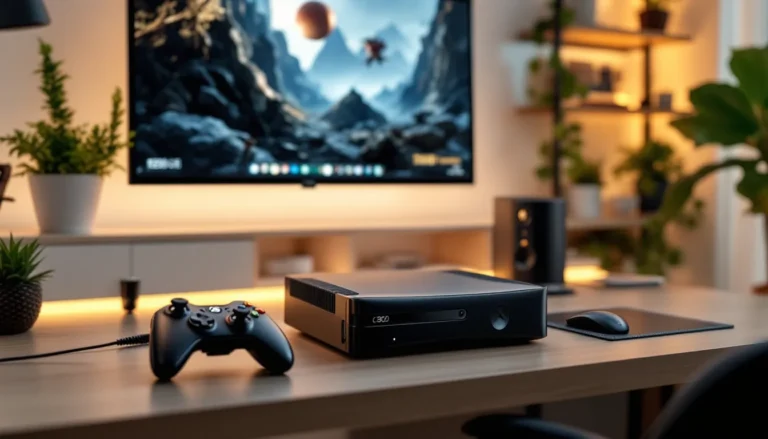
If you’re deep in retro gaming, check out the Xbox 360 Jasper: A Comprehensive Overview for details on the revision that became synonymous with reliability. Your profile picture could feature the hardware itself, the sleek black chassis, the distinctive ring of light. That immediately signals to other collectors that you’re serious.
Competitive players often use profile pictures featuring perfect circles, crosshairs, or weapon aesthetics. These signal focus and precision. They’re saying, “I play to win.” Casual players, by contrast, use vibrant, humorous, or character-focused designs that communicate, “I’m here for fun.” Both approaches work, what matters is alignment with your actual play style.
Streamers and content creators should consider their profile picture as part of their brand identity. News outlets like IGN frequently feature content creators in articles about gaming culture. Your profile picture is part of that public identity. Make sure it’s recognizable, consistent, and representative of the content you produce.
Community builders and guild leaders can use their profile pictures to establish authority and trustworthiness. A clean, professional design signals organization. You’re the kind of player who coordinates raids, maintains Discord servers, and takes the community seriously.
Speedrunners and achievement hunters might feature speedrun timer aesthetics or 100% completion indicators. These niche markers are recognized by people in those communities and create instant camaraderie.
If you’ve recently picked up an Xbox 360 console for sale or are maintaining a legacy account, your profile picture can celebrate that. Nostalgia is powerful. A profile picture that captures the Xbox 360 era, 20-bit graphics aesthetic, early 2000s gaming design language, tells a story about where you came from as a gamer.
Your profile picture can also communicate what games or franchises you’re currently playing. A Halo enthusiast might use Chief’s helmet silhouette. A Dark Souls fan might use Estus flask imagery. Windows Central regularly covers Game Pass additions and current-era gaming releases, so your PFP can stay relevant by featuring recent passion projects. These franchise-specific references create connections with likeminded players.
Don’t be afraid to experiment. Gaming communities appreciate creativity and effort. A well-thought-out, genuinely personalized profile picture stands out against the sea of generic designs. It shows you care about your presence in the gaming world.
Conclusion
Your Xbox 360 profile picture is more than a thumbnail. It’s a declaration of your gaming identity, a visual signature that travels with you across lobbies, friend lists, and community spaces. Whether you choose an official avatar from the legacy marketplace, create something custom, or carefully curate a design that represents your gaming values, that choice matters.
In 2026, the Xbox 360 remains a cultural artifact, a piece of gaming history that shaped how millions of people connected online. Your profile picture keeps that legacy alive. It’s a small way of saying, “This is who I am as a gamer. This is what I care about.”
The gaming community has evolved dramatically since the Xbox 360’s golden era, but the fundamentals remain unchanged: authenticity resonates, creativity stands out, and consistency builds recognition. Take the time to get your profile picture right. Update it when your gaming identity shifts. Use it as a tool to communicate who you are before you even load into a match.
Your PFP is your first impression. Make it count.