Table of Contents
ToggleThe Xbox 360 might be pushing two decades old, but thousands of gamers still fire up their consoles for nostalgic sessions of Halo, Gears of War, and countless other classics. The problem? Finding a working Xbox 360 power cord can feel like hunting for a unicorn in 2026. Whether your original cable gave up the ghost, you’re picking up a used console, or you’re running multiple systems, understanding your power supply options is critical. This guide breaks down everything you need to know about Xbox 360 power cords, from compatibility specs to troubleshooting dead consoles to sourcing reliable replacements without getting scammed.
Key Takeaways
- Different Xbox 360 models (original, S, and E) have different power requirements and use incompatible connectors, so identifying your console model before purchasing an Xbox 360 power cord is essential to avoid hardware damage.
- Reliable third-party Xbox 360 power cords from reputable brands like Internix and PowerEx cost $25–40 with warranties, while genuine Microsoft supplies range $50–80 on the secondhand market; avoid knockoff units under $15 that often fail within weeks.
- Test a new power supply immediately by checking for a steady indicator light, ensuring the connector fits snugly, and running the console for several minutes to confirm stable power delivery before regular use.
- Prevent power cord failure by maintaining proper airflow around the power supply, using a quality surge protector, avoiding sharp cable kinks, and inspecting the cord monthly for visible damage or wear.
- Warning signs your Xbox 360 power cord needs replacement include the console refusing to power on, a flickering indicator light, visible cable damage, loose connectors, or a burning plastic smell from the PSU.
Understanding Xbox 360 Power Requirements
Power Consumption Across Xbox 360 Models
Not all Xbox 360s draw power the same way, and this is where things get tricky. The original Xbox 360 (released in 2005) pulled 175 watts at the wall under load. The Xbox 360 S (introduced in 2010) scaled that down to 135 watts, making it more efficient and running cooler. The final revision, the Xbox 360 E (2013), landed at a similar 135 watts.
These differences matter because the power supplies aren’t fully interchangeable. Using the wrong PSU can result in the console refusing to boot, random shutdowns mid-game, or worst-case scenario, hardware damage. The original white/grey brick PSU used on early models has a different connector and voltage configuration than later revisions.
Understanding your specific console’s power draw helps you source the correct replacement and avoid compatibility headaches. If you’re unsure which generation you own, the model number is printed on the bottom of your console. Original models show as Xbox 360 (no suffix), while the S and E versions are clearly labeled.
Types of Xbox 360 Power Cords
Original Power Supply Unit
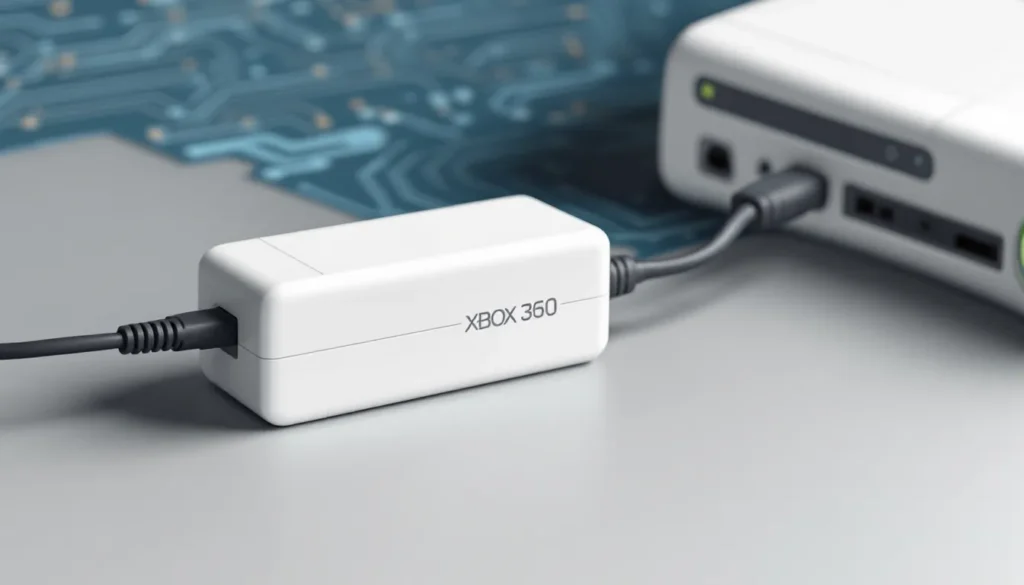
Microsoft’s official power supplies came in two main flavors: the original white/grey brick (early models, 2005–2009) and the sleeker black power supply used from 2010 onward. The original brick is bulky, gets hot, and had a notorious failure rate, many early adopters still remember the dreaded red ring of death partially caused by PSU issues.
The official supplies are identifiable by the Microsoft branding and part numbers stamped on the unit. Early versions showed model ADP-150XBX or ADP-175DB, while newer units carried designations like HKA-00025. These aren’t just cosmetic differences, the connectors and internal voltage regulators vary significantly between generations.
Finding original Microsoft power supplies in 2026 is possible but expensive. Expect to pay $40–80 USD for a genuine unit, and you’ll want to verify it’s been tested and working before purchasing. Many online sellers offer them, though availability fluctuates based on secondhand market conditions.
Third-Party and Replacement Options
Third-party power supplies have flooded the market, ranging from solid alternatives to absolute garbage. Reputable manufacturers like Internix and PowerEx produce compatibility-verified PSUs that work reliably across all Xbox 360 models. These typically run $25–40 and come with warranties, making them reasonable budget picks.
Here’s the catch: not all third-party options are created equal. Cheap knockoff supplies from unverified sellers might seem like a steal at $15, but they can overheat, deliver inconsistent power, or fail within weeks. When evaluating third-party units, check for certifications, customer reviews mentioning longevity, and return policies.
Universal power supplies designed for multiple consoles also exist, though they’re less ideal than model-specific options. These adapter-based solutions work in a pinch but add extra cable clutter and introduce another point of failure. If you’re buying one, verify it explicitly supports your Xbox 360 generation before checkout.
How to Identify Your Xbox 360 Model and Compatible Power Cord
Checking Your Console Model
Flip your Xbox 360 upside down and look at the bottom sticker. You’ll see a model number that determines which power supply you need. The original Xbox 360 (no label suffix), Xbox 360 S (labeled with an S), and Xbox 360 E (labeled with an E) each require specific power solutions.
Alternatively, look at the console’s physical shape. The original model had a white exterior (most common) with a curved top and boxy design. The Xbox 360 S introduced a more refined black chassis with a larger hard drive slot. The Xbox 360 E attempted a tablet-like aesthetic with a flat top and glossy finish. These visual differences are quick identifiers if the sticker is worn or illegible.
If you’re shopping for a used console, demand to see the bottom sticker and power supply before purchasing. Sellers should be able to confirm the model and whether the power cord is original or third-party.
Matching Power Specifications
Once you’ve identified your model, check the power requirements. Look at your current power supply (or the one being sold with a console) for output specs printed on the unit. You’re looking for wattage and voltage, most Xbox 360 units expect either 203V or 110-240V input with outputs around 175W or 135W depending on revision.
The connector type is equally critical. Early Xbox 360s use a unique three-pin barrel connector, while later models switched to a slightly different connector that looks similar at first glance but won’t fit properly on incompatible units. Forcing a mismatched connector can damage the console’s power input.
When shopping for replacements, cross-reference the part number of your power supply with compatibility lists. Websites documenting Xbox 360 hardware specifications show which PSU models work with which console revisions. Third-party sellers should list compatibility explicitly, avoid any listing that says “compatible with most Xbox 360s” without specifying which models.
Common Xbox 360 Power Cord Issues and Troubleshooting
Signs Your Power Cord Needs Replacement
Your Xbox 360 power cord might be failing if you notice certain red flags. The most obvious: the console won’t power on even though being plugged in and the outlet working with other devices. A flickering light on the PSU or intermittent boot failures suggest internal failure.
Physical damage is equally telling. Check the cable for frays, breaks, or exposed wires, any visible damage means replacement time. Bent or damaged connectors that don’t fit snugly into the console’s power port are also indicators. Some power supplies fail silently, delivering insufficient voltage that causes the console to boot inconsistently or shut down during intense games.
Odor is a serious warning sign. If your power supply smells like burning plastic or electronics, unplug it immediately. This indicates internal component failure and potential fire hazard. Don’t attempt to use it further, replace it with a known-working unit.
Troubleshooting Connection Problems
Before assuming your power cord is dead, run through basic troubleshooting. First, confirm the outlet itself works by plugging in another device, a phone charger or lamp works fine. If the outlet is fine, try a different outlet in another room to rule out circuit breaker issues.
Examine the connector on both ends. Is the cable fully inserted into the console? It should sit flush without gaps. If the connector is loose or the port feels damaged, that’s your problem. Try gently wiggling the cable while watching for the PSU’s indicator light, sometimes a clean, firm connection restores power.
Check the power supply’s status light. A steady green or amber light indicates it’s receiving power and functioning. No light at all means either the outlet is dead, the cable is severed, or the PSU’s internal fuse has blown. If the light flickers, the internal power regulation is failing, and replacement is necessary.
If you have access to another working Xbox 360 power supply, test it on your console. This definitively proves whether the cord or the console’s power input is at fault. If a different PSU works fine, your original cord is the culprit.
Safety Concerns and Prevention
Don’t mess with power supplies that show signs of internal failure. Attempting to repair or disassemble a damaged PSU risks electrocution and fire. Modern gaming journalism resources like TechRadar covers hardware safety extensively, and the consensus is clear: when a power supply fails, replacement is the safest option.
Prevent premature failure by keeping your power supply cool and away from clutter. The PSU generates significant heat, especially the older brick models. Never cover it with blankets, stack items on top of it, or wedge it into tight spaces. Proper airflow extends lifespan dramatically.
Use a surge protector rated for gaming hardware. Electrical spikes from lightning strikes or power fluctuations can fry a power supply instantly. A quality surge protector adds minimal cost and protects your entire setup. Avoid cheap protectors with no actual surge protection, they’re worthless.
Where to Buy Replacement Xbox 360 Power Cords
Official vs. Unofficial Sources
Microsoft officially stopped manufacturing Xbox 360 power supplies in the early 2020s, which means no new stock comes from them directly. Your only option for genuine supplies is the secondhand market through reputable resellers. GameStop occasionally stocks used Xbox 360 accessories, though availability is hit-or-miss. Local retro gaming stores might have inventory if you’re lucky.
Amazon hosts both legitimate sellers and questionable third-party operations. Filter by “Amazon’s Choice” and check review counts carefully. Verified purchase reviews are golden, if 50+ people confirm a power supply works on their Xbox 360, it’s likely legitimate. Avoid listings with suspiciously low prices and vague descriptions.
eBay connects you with private sellers and small businesses specializing in retro gaming gear. The platform’s buyer protection helps if a product arrives defective. Read seller ratings meticulously, anyone below 95% positive feedback selling electronics should be avoided. Message sellers before purchasing to confirm the power supply is tested and working.
Price Comparison and Value
Expect to pay $30–60 for a reliable third-party Xbox 360 power supply in 2026. Reputable brands like Internix and PowerEx consistently land in this range. Genuine Microsoft supplies on the secondhand market run $50–80 depending on condition and rarity.
Cheap knockoffs at $15 or less are red flags. The cost of manufacturing a legitimate power supply doesn’t allow for that price point while maintaining quality. Those deals almost always result in premature failure, and you’ll spend more replacing them repeatedly than buying once from a reputable source.
Factor in shipping when budgeting, especially if buying from smaller sellers. Fast shipping adds $5–10 but is worth it if your console is your primary gaming device. Compare total cost including shipping across sellers before committing.
Budget buyers should consider RGH Xbox 360 for Sale options, which come pre-configured with reliable power supplies. This approach eliminates the guesswork of finding compatible hardware separately.
Installation and Setup Tips
Proper Connection Procedures
Before plugging in a new power supply, confirm it matches your console’s model and specifications. The physical connector should fit smoothly into the console’s power port without forcing. If you’re forcing it, stop, you’re either using the wrong PSU or the connector is damaged.
Plug the power cord into a working wall outlet or surge protector, then connect the console end. The PSU’s indicator light should illuminate within seconds, usually in green or amber. Power on the console using the controller or front button, it should boot normally without hanging or flickering.
Let the console run for a few minutes during this initial test. This confirms the power delivery is stable and the unit isn’t overheating. Listen for abnormal fan noise or smell anything burnt. If everything checks out, you’re good to use the console normally.
Avoiding Common Installation Mistakes
The most common mistake: forcing a connector that doesn’t fit properly. This causes permanent damage to the console’s power port, making future replacements impossible without professional repair. Always verify compatibility before installation.
Another frequent error is plugging the power supply into an outlet controlled by a wall switch. If someone accidentally flips the switch while you’re gaming, you’ll lose power mid-session. Dedicated, always-active outlets prevent this frustration.
Don’t daisy-chain your Xbox 360 power cord through multiple extension cables or power strips beyond what’s necessary. Each additional connection point introduces resistance and potential voltage drop. A single quality surge protector is fine: avoid stacking multiple adapters.
Maintenance and Longevity
Best Practices for Power Cord Care
Treat your Xbox 360 power cord with respect. Don’t bend the cable at sharp angles, especially near the connectors. Coil it gently when storing, using a loose loop rather than tight wraps that stress the internal wires. Sharp kinks weaken the cable insulation and can lead to internal breakage.
Keep the entire power supply clean and dust-free. Use compressed air to gently blow dust away from vents every few months, especially if your console sits in a dusty environment or near a pet. Dust buildup forces the power supply to work harder, generating excessive heat and shortening lifespan.
Avoid yanking the cable to disconnect it. Grab the connector itself or the unit, then pull gently. Repeatedly ripping the cable loose from the outlet strains the connection and eventually causes internal wire damage.
Inspect your power cord monthly for signs of wear. Small cracks in the insulation, discoloration near the connector, or any exposed wiring means it’s time to replace. Catching problems early prevents catastrophic failure during gaming sessions.
Extending Your Power Supply Lifespan
Proper environmental conditions dramatically extend power supply longevity. Keep your Xbox 360 and its PSU in a cool, well-ventilated space. Room temperature between 60–75°F is ideal. Avoid placing the console in enclosed spaces, next to heat sources like radiators, or in humid basements.
Use a quality surge protector specifically rated for gaming hardware. This protects against voltage spikes that degrade components over time. Modern surge protectors cost $15–30 and easily add years to your power supply’s life.
Turn off your console when not in gaming. Letting it run idle 24/7 generates unnecessary heat that accelerates component aging. If you’re taking a break for a few hours, power it down fully rather than leaving it in standby.
Consider Xbox 360 Console for Sale as a backup option if your current setup is aging. Having a spare console with its own power supply eliminates single points of failure and gives you flexibility if one unit goes down. Many collectors run multiple Xbox 360s specifically because finding replacement parts becomes increasingly difficult as time passes.
If you’re serious about maintaining your Xbox 360 long-term, research confirmed-working power supplies from reputable sources before they disappear from the market entirely. Stockpiling a spare PSU ensures you won’t be without gaming if your primary cord fails unexpectedly.
Conclusion
The Xbox 360 is a legendary console, but it’s getting old. Finding a working power cord in 2026 requires knowledge, careful shopping, and awareness of compatibility pitfalls. You now understand the differences between original and third-party supplies, how to identify your specific console model, and exactly what to look for when purchasing replacements.
The key takeaway: don’t cheap out on power supplies. A reliable PSU might cost $40 instead of $15, but it keeps your console running for years rather than months. Verified retailers, reasonable price points, and good reviews are your allies.
Whether you’re a casual player firing up Halo occasionally or a dedicated collector running multiple Xbox 360s, proper power cord management ensures your gaming sessions stay uninterrupted. Test new power supplies immediately upon arrival, maintain your cables responsibly, and don’t hesitate to replace anything showing wear. Your retro gaming experience depends on it. Resources like PCMag’s technology reviews and Tom’s Guide gaming reviews regularly cover hardware reliability if you want deeper technical information.
Happy gaming, and may your power cord never fail mid-achievement.